

Socket
The Socket tool puts a socket’s plate on a wall: power, Schuko, USB, TV or data network. It works like the Light switch tool; here is what is its own.
Picking it
Section titled “Picking it”- Electrics in the dock, then Socket (power, USB, TV, network), or OO.
- The right click on a wall: Add a socket picks the tool; then click the side where it goes.
- The search (⌘KCtrl+K): type Socket.
The bar
Section titled “The bar”
- Type: Socket 10/16 A, Schuko, USB, TV or Data network. It starts at Socket 10/16 A and keeps the last one chosen while the project is open.
- Height: the house’s height for sockets, from the house, 30 cm unless you change it (Sockets in the house’s Electrics). Read only here; a socket of its own height is set in the socket once placed.
Using it
Section titled “Using it”- Pick the tool and choose the Type.
- Move onto the wall, on the side the socket goes: its ghost follows the pointer along that face.
- Click: the socket is placed in the room that side faces.
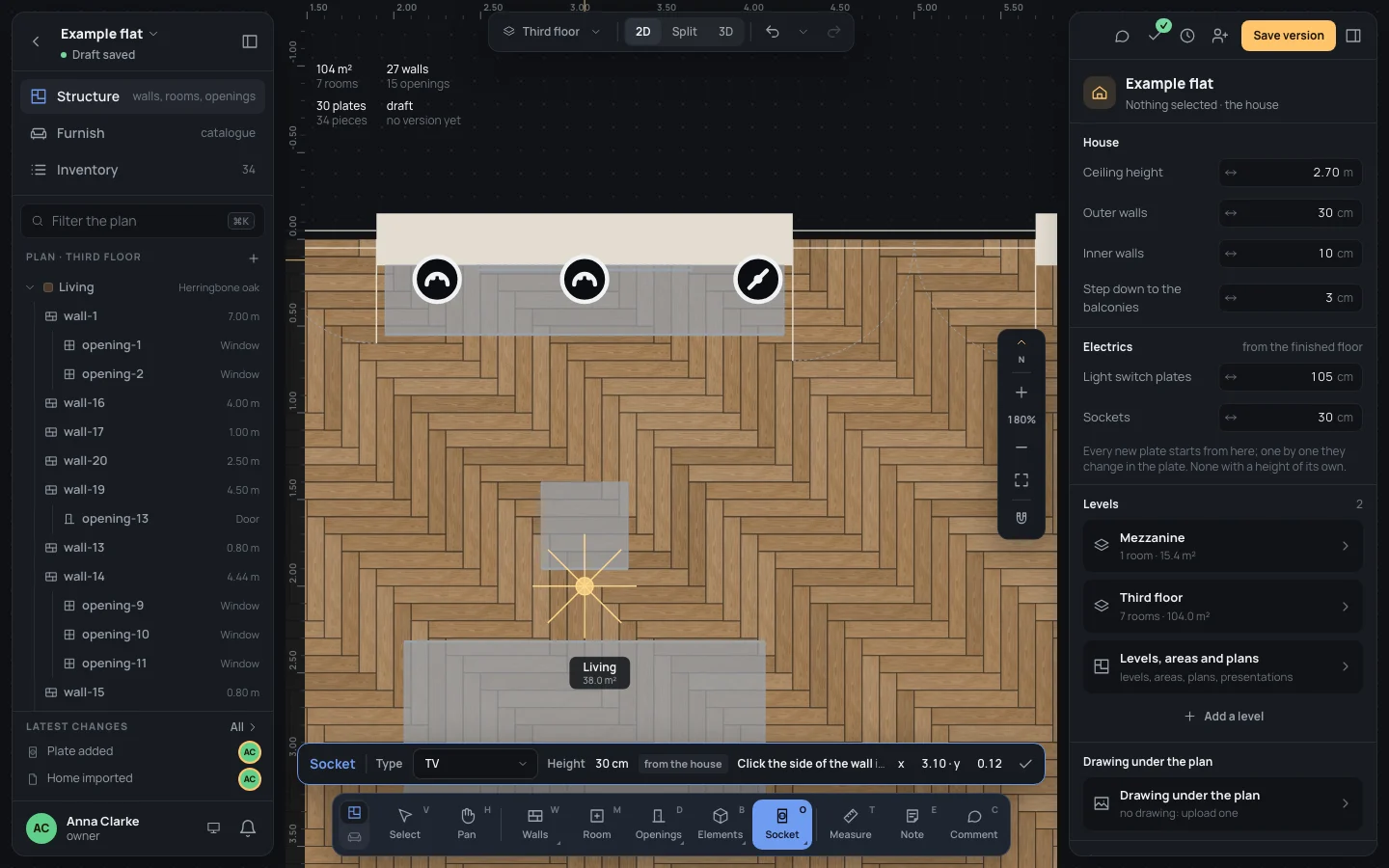
Keys inside it
Section titled “Keys inside it”- EscEsc or Done (✓): back to Select.
- ␣␣ held: move the view; ⌘Ctrl with the wheel: zoom.
- SS and LL: the other tools of Electrics.
What it snaps to
Section titled “What it snaps to”As the light switch’s: the nearest wall under the pointer, the face the pointer is on, the point straight across from it, at least 6 cm from the wall’s ends. Nothing else: not openings, not other plates.
What it refuses
Section titled “What it refuses”As the light switch’s: a face that looks outside (This side of the wall faces outside: a plate goes inside a room), and railings and separators, which show no ghost.
The socket is selected and its inspector open; the tool stays on for the next one. One step in the history (Plate added). Its inspector is the light switch’s (Switches and sockets).
Example: the TV socket
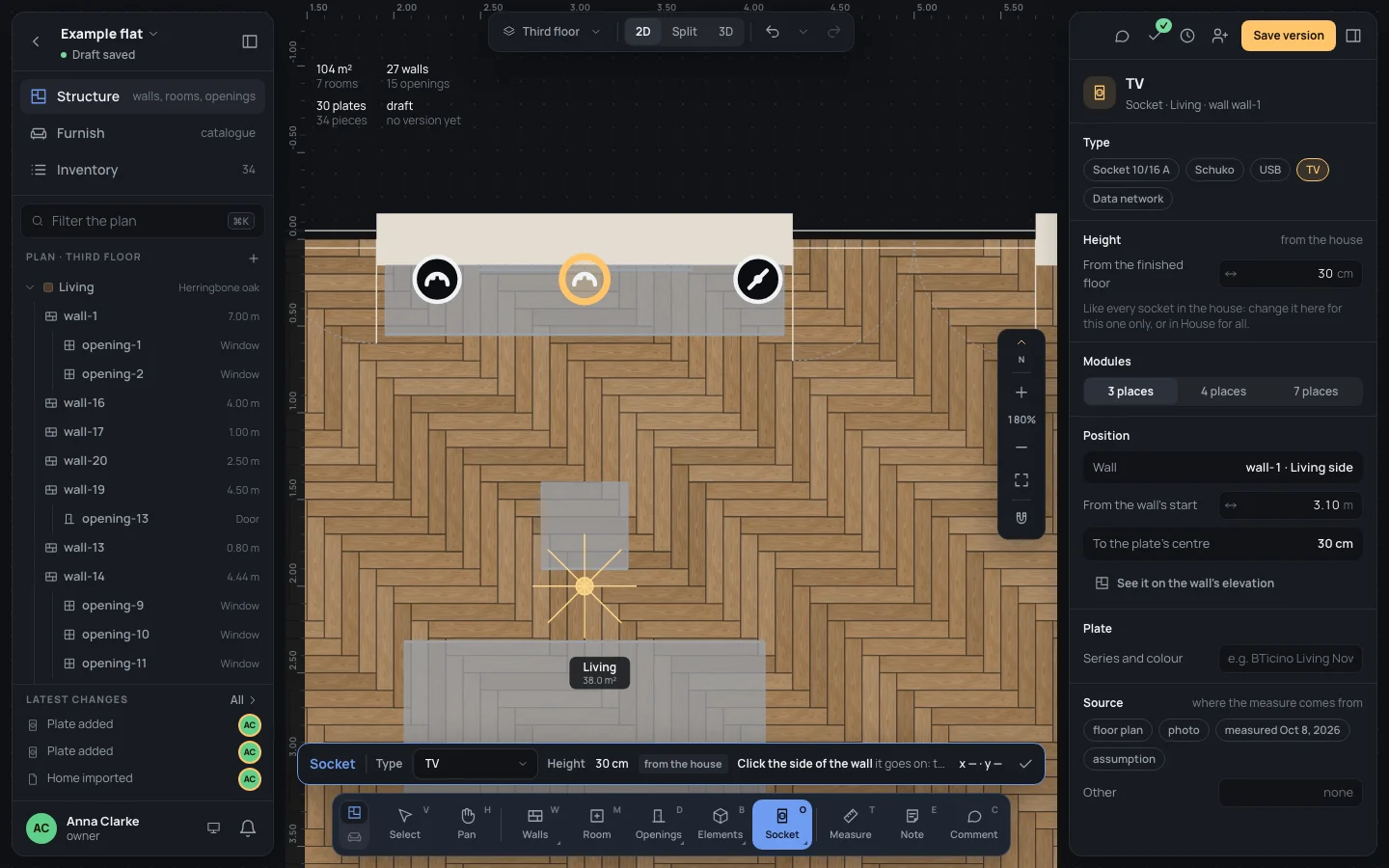
Section titled “Example: the TV socket”The television hangs on the living room’s north wall, its middle 3.10 m from the wall’s start (x 3.10).
- Press OO. In the bar, choose TV.
- Move onto the north wall, on the living room’s side, under the television: the pointer reads about x 3.10 · y 0.12.
- Click. The inspector reads Socket · Living · wall wall-1, at 30 cm from the house.
- To put it exactly, type From the wall's start
3.10.
If something goes wrong
Section titled “If something goes wrong”- This side of the wall faces outside: click the inside of the wall, in a room.
- The wrong type: change Type in the inspector; the wrong place: ⌘ZCtrl+Z and click again.
See also
Section titled “See also”- Light switch: the gesture explained in full.
- Switches and sockets · Checks: the sockets the norm asks for, proposed.