

The walk
The walk start is a place in the home and a direction: where a person stands and where they look. The 3D in first person shows the home from there, at the height of a person’s eyes.
Walking around the home and using things in it (opening a door, sitting at the desk) are not built yet. Today the walk is that one viewpoint, to look at the home as someone standing in it would.
Setting the start
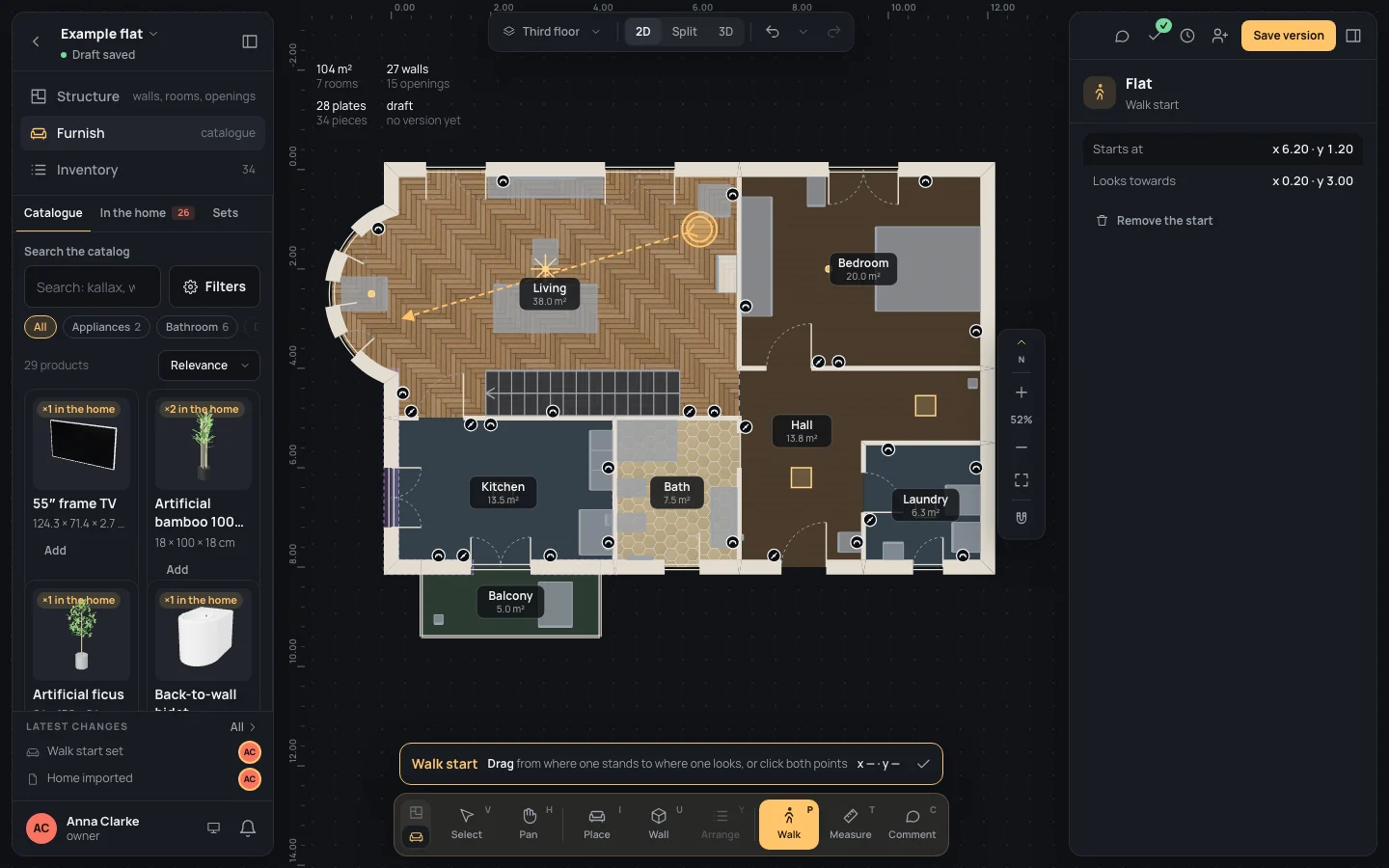
Section titled “Setting the start”The Walk tool (PP, Walk in Furnish’s dock) draws it: press where the person stands and drag towards where they look. There is one start: drawing it again replaces it. The tool has its own page, Walk.
Its inspector
Section titled “Its inspector”Select the start (it is selected as soon as it is drawn, or click it on the plan). The inspector, headed Walk start, shows:
- the presentation it belongs to: the home’s first presentation (Flat in the example);
- Starts at and Looks towards: the two points, in metres from the plan’s origin (x 6.20 · y 1.20);
- Remove the start: takes it away (one step, Walk start set). ⌘ZCtrl+Z brings it back.
The 3D in first person
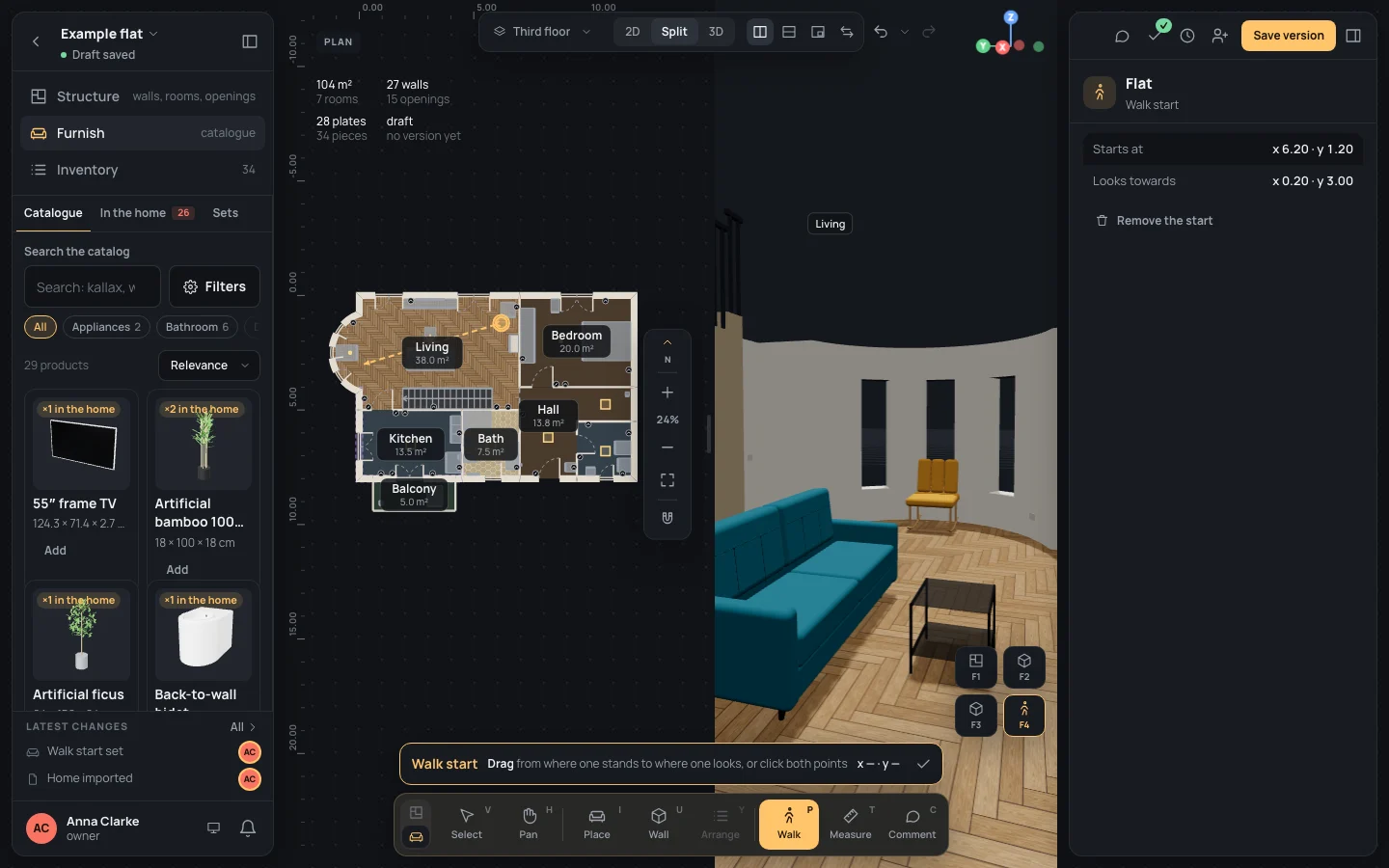
Section titled “The 3D in first person”Press F4F4 (3D in first person), or its button among the 3D’s viewpoints. From the plan alone the view becomes the split, plan and 3D side by side. The camera stands where the start is, its eyes 1.60 m above the floor, looking towards the second point. With no start, it stands in the middle of the home and looks north.
From there the 3D moves as it always does (drag to turn, the wheel to zoom): see The plan and the 3D.
Example: the living room’s bay
Section titled “Example: the living room’s bay”On the finished example flat, in Furnish:
- Press PP.
- Press in the living room, near its east wall by the top, and drag towards the middle of the bay to the west; release. The start is drawn and selected: Starts at x 6.20 · y 1.20, Looks towards x 0.20 · y 3.00.
- Press F4F4. The 3D opens beside the plan, looking at the bay’s three windows over the coffee table and the sofa.
What can go wrong
Section titled “What can go wrong”- The view looks at a wall, or from outside: the start is somewhere else, or there is none; draw it again where you want it.
- Nothing happens when you draw it: the two points were too close; drag further.
- No Walk tool: you can only look at this project; the 3D in first person still works.
See also
Section titled “See also”- Walk: the tool, its keys and what it snaps to.
- The plan and the 3D: the 3D’s viewpoints and how it moves.