

Awning
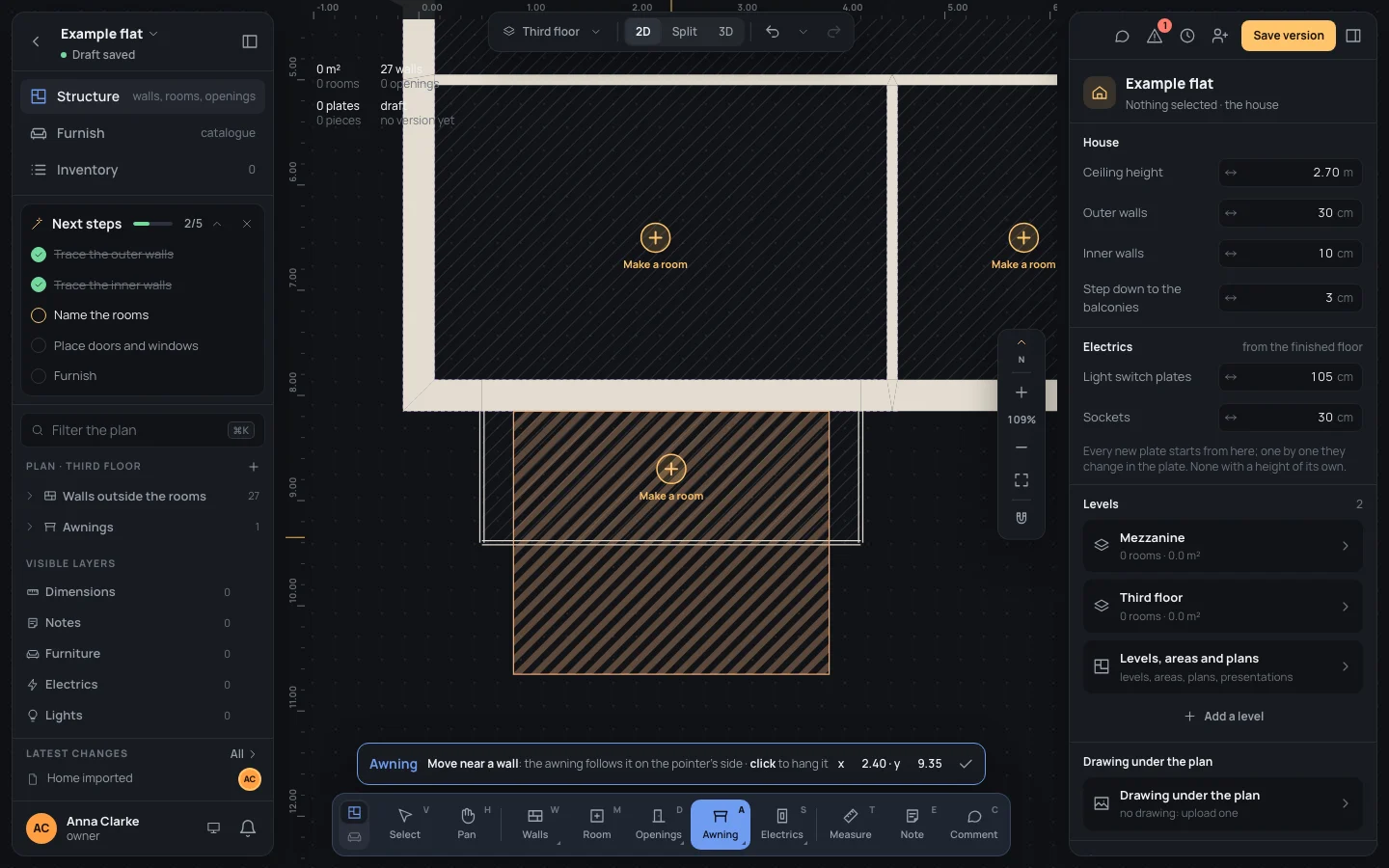
The Awning tool hangs a sun awning on a wall: it follows the wall on the side the pointer is on, and a click hangs it there.
Picking it
Section titled “Picking it”- Elements in the dock, then Awning, or AA.
- The search (⌘KCtrl+K): type Awning.
The tool has no options: its bar holds its name, what to do and where the pointer is. Every new awning is the same size; change it once hung.

Using it
Section titled “Using it”- Move the pointer near a wall, on the side the awning goes: anywhere within its depth, 2.50 m, from the wall.
- Its ghost, 3 m wide and 2.50 m deep, follows the wall, its middle straight across from the pointer.
- Click: the awning is hung there.
Keys inside it
Section titled “Keys inside it”- EscEsc or Done (✓): back to Select.
- ␣␣ held: move the view; ⌘Ctrl with the wheel: zoom.
- BB, GG and PP: the other tools of Elements.
What it snaps to
Section titled “What it snaps to”Nothing but the wall: the nearest one within 2.50 m of the pointer, the side the pointer is on, the middle of the awning straight across from it. It doesn’t catch the wall’s ends or its openings: to centre it on a window, type its start in the inspector.
What it refuses
Section titled “What it refuses”Only full walls take an awning: parapets, railings and separators show no ghost, and a click near them does nothing. Every wall, inside or out, takes one; the tool doesn’t stop at the wall’s ends, so an awning on a short wall may hang past them: check Start on the wall and Width after.
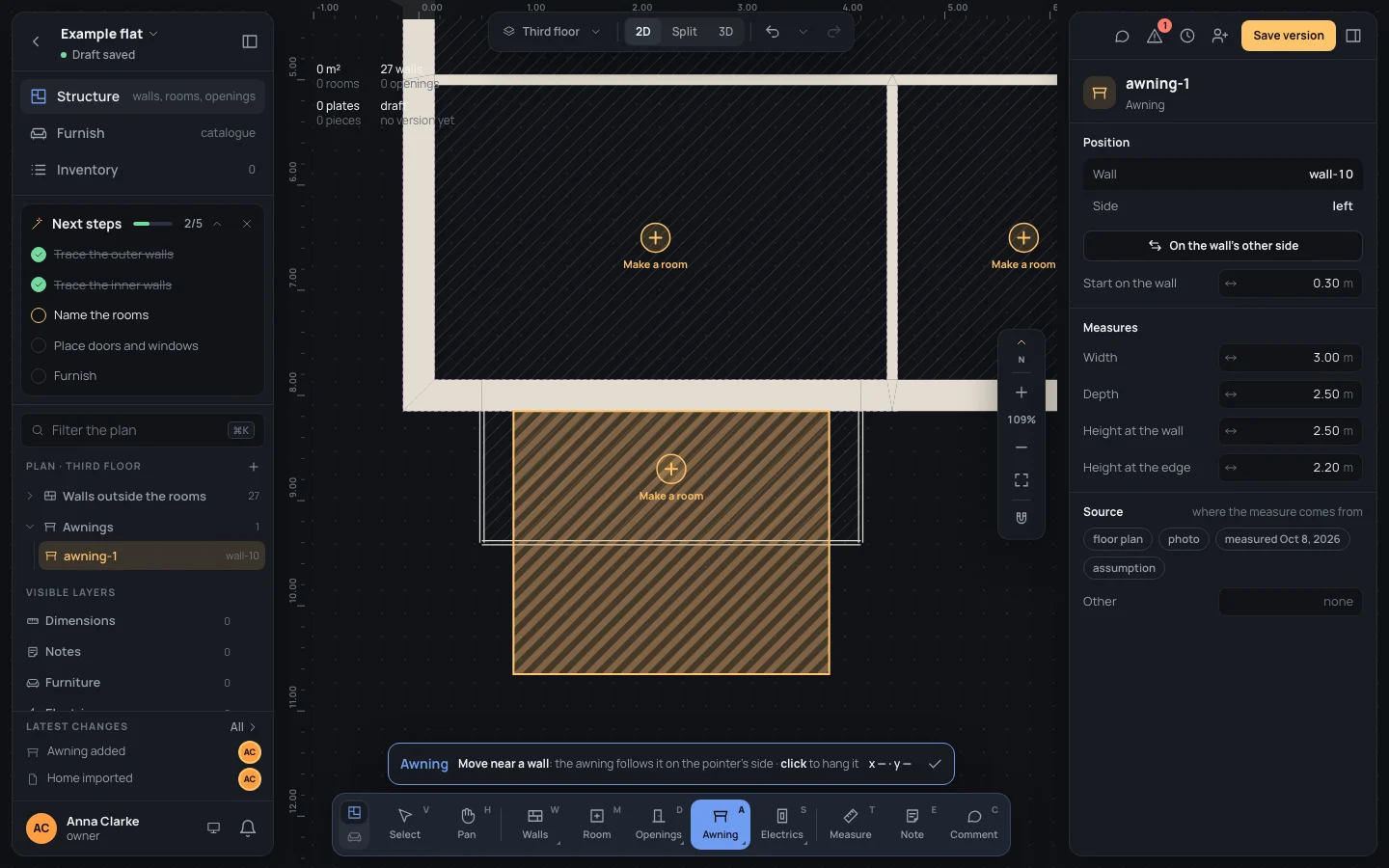
The awning is selected and its inspector open; the tool stays on for the next one. A new awning is 3.00 m wide, 2.50 m deep, 2.50 m high at the wall and 2.20 m at its edge. In the inspector: Wall and Side, On the wall’s other side, Start on the wall, Width, Depth, Height at the wall, Height at the edge (Elements). One step in the history (Awning added).
Example: the balcony’s awning
Section titled “Example: the balcony’s awning”On the bare example flat, an awning over the balcony, from the kitchen’s south wall (3.60 m long between the balcony’s railings).
- Press AA and move over the balcony, south of the kitchen’s wall, at about x 2.40.
- Click: the awning hangs over the balcony, its middle at x 2.40.
- To fit it to the balcony, 1.40 m deep, type Depth
1.40in the inspector.
If something goes wrong
Section titled “If something goes wrong”- On the wrong side: On the wall’s other side in the inspector turns it round.
- On the wrong wall, or not where you wanted it: ⌘ZCtrl+Z and click again.
- A click on a hatched region’s Make a room button makes a room instead: point a little away from it.